
How to Read a Tesla Service History Report Like a Pro
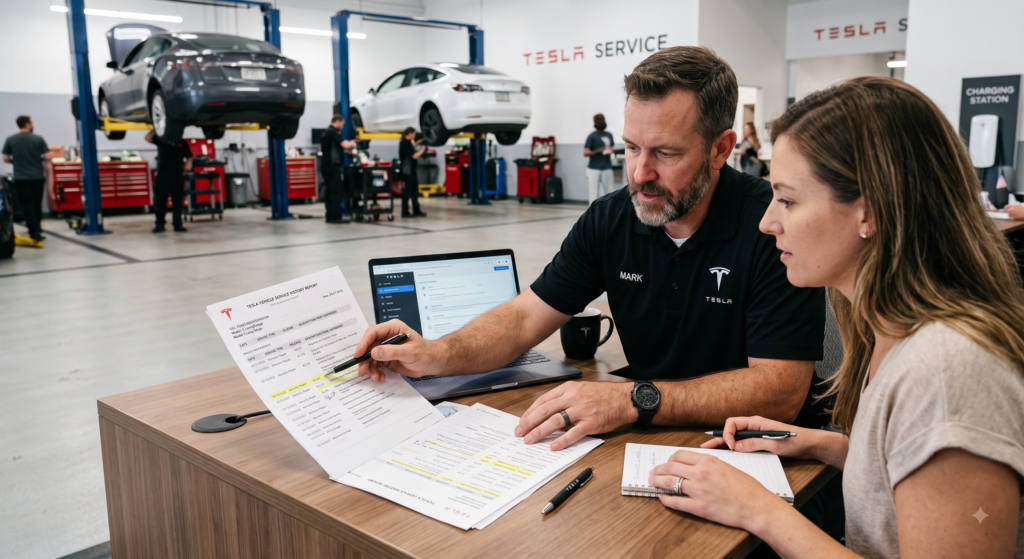
The service history report of a used Tesla is not merely a stack of maintenance invoices or a digital log of oil changes. It is the autobiography of the vehicle, a chronological narrative that reveals how the previous owner treated their investment, which components have failed and been replaced, whether factory defects were addressed proactively or ignored until catastrophic failure, and whether the car carries hidden damage that no casual inspection can expose. In the world of internal combustion engines, a service history might show routine oil changes, brake pad replacements, and the occasional timing belt service. In the Tesla ecosystem, where the drivetrain has no oil, the brakes last a hundred thousand miles, and the entire vehicle is governed by software, the service history contains entirely different categories of information that require a trained eye to interpret correctly. A Tesla Service History entry reading “Replaced HV battery contactor” can signal either a minor warranty fix or evidence of prior track abuse and thermal stress. A notation of “MCU1 eMMC replacement” might indicate a responsible owner who addressed a known defect, or it might reveal that the vehicle suffered total touchscreen failure and was inoperable for weeks. Learning to read these entries like a professional is the single most powerful skill a used Tesla buyer can develop, because it transforms a opaque list of technical jargon into a clear risk assessment that dictates whether you should pay full price, negotiate aggressively, or walk away entirely.
This comprehensive guide teaches you exactly how to obtain, decode, and evaluate a Tesla Service History report in 2026. We break down the specific terminology Tesla service centers use, explain which entries are routine and which are harbingers of expensive future problems, show you how to spot evidence of title washing or undisclosed accidents, and reveal the subtle patterns that separate a meticulously maintained electric vehicle from a polished liability waiting to drain your bank account.
What Is a Tesla Service History Report and Where to Find It
Unlike conventional vehicles where service records might be scattered across independent garages, dealership databases, and handwritten receipts in a glovebox, Tesla vehicles maintain a centralized digital service record tied to the Vehicle Identification Number (VIN). Every time a Tesla visits a Tesla Service Center, a Tesla Mobile Ranger, or an authorized third-party repair facility that reports to Tesla’s system, the work performed is logged in the company’s internal database. This creates a comprehensive, timestamped ledger of every diagnostic scan, warranty repair, software update, parts replacement, and collision repair that the vehicle has undergone since it left the factory.
For original owners, this history is accessible through the Tesla App under the Service menu, where past appointments, invoices, and technician notes are displayed in chronological order. For prospective buyers, obtaining this history is less straightforward but absolutely critical. The most reliable method is to ask the seller to provide screenshots of their Service tab or to generate a PDF export of the vehicle’s history from their Tesla account. A cooperative seller with nothing to hide will typically provide these records promptly. If a seller claims they have “lost access” to their Tesla account, “cannot find the records,” or insists that “the car has never had any problems,” treat this as a major red flag. In 2026, every Tesla owner has digital access to their service history through the app or website, and a refusal to share it almost always indicates either catastrophic repair history or a salvage/rebuilt title that the seller hopes you will not discover until after the sale.
If the seller is cooperative but technically unsophisticated, guide them through the process: open the Tesla App, select the vehicle, tap Service, then History. From here, they can screenshot each entry or, in some regions, request a formal service history report from Tesla customer support. For buyers who want independent verification, Tesla Service Centers can often provide a summary of warranty work and major repairs if you present the VIN and a legitimate purchase interest, though privacy policies vary by region and some centers require owner authorization before releasing records.
Additionally, third-party vehicle history services like Carfax or AutoCheck may capture some Tesla service visits, particularly those involving collision repair or insurance claims. However, these reports are notoriously incomplete for Teslas because many warranty repairs, software updates, and mobile ranger visits never generate a Carfax entry. Relying solely on a generic vehicle history report for a Tesla is like reading every third page of a novel and assuming you understand the plot. You need the Tesla-specific service history to see the full picture.
Decoding the Service Categories: What Each Entry Means
Tesla service records are organized into broad categories that help you quickly assess the nature of the work performed. Understanding these categories allows you to scan a lengthy history in minutes and identify the entries that warrant deeper investigation.
Warranty Work Entries marked as “Goodwill,”“Warranty,” or “Covered” indicate repairs that Tesla performed at no cost to the owner under the New Vehicle Limited Warranty or Battery and Drive Unit Warranty. A high volume of warranty entries is not necessarily negative; it may simply indicate that the original owner was diligent about addressing every minor issue while the car was under factory protection. However, the type of warranty work matters enormously. Multiple entries for “Door handle replacement” on a Model S suggest the chronic handle failures that plague early builds, which is expected. Multiple entries for “Battery pack replacement” or “Drive unit replacement” on a low-mileage vehicle suggest manufacturing defects or abuse that required major surgery. One or two significant warranty repairs are normal. A pattern of recurring major component failures suggests a lemon that the previous owner unloaded before the warranty expired.
Recall and Service Campaigns Tesla frequently issues over-the-air software updates to address safety concerns, but some recalls require physical intervention. Entries labeled “Recall” or “Service Campaign” should be verified as completed. An open recall is not necessarily a dealbreaker, as the repair is free at any Tesla Service Center, but it indicates that the previous owner deferred safety-related maintenance. More importantly, certain recalls are prerequisites for future warranty coverage. If a battery cooling recall was not performed and the battery subsequently fails, Tesla may deny warranty claims citing owner negligence. Always verify that all open campaigns are closed before purchase.
Collision and Body Repair Entries from Tesla Body Shops or authorized collision centers indicate accident history that may not appear on generic vehicle history reports. Pay close attention to the parts replaced. “Replaced rear quarter panel” or “Replaced structural battery tray” indicate severe impacts that compromised the vehicle’s unibody or high-voltage system. “Replaced front bumper cover” or “Painted door” suggest minor parking lot incidents. The distinction is critical because structural repairs can affect alignment, battery safety, and resale value permanently. If collision entries exist, demand the insurance claim documentation and photographs of the damage.
Routine Maintenance Teslas require minimal routine maintenance, so entries in this category should be sparse. Expect to see “Cabin air filter replacement,”“Brake fluid test,”“Tire rotation,” and “12-volt battery replacement.” A complete absence of routine maintenance is not necessarily alarming for a low-mileage vehicle, but it may indicate an owner who ignored basic care. Conversely, an excessive number of “Tire replacement” entries may suggest aggressive driving, track use, or chronic alignment issues that chew through rubber.
Software Updates and Diagnostics Not every service visit involves physical repair. Many entries reflect “Performed software update,”“Remote diagnostics performed,” or “Calibrated Autopilot cameras.” These are generally neutral or positive entries indicating that the vehicle received attention. However, repeated entries for “Recalibrated sensors” or “Replaced Autopilot camera” may indicate persistent issues with the vision system that could affect future autonomous driving capabilities.
Don’t risk buying a used Tesla with hidden service history or undisclosed collision repairs. At Tesla.tl, every listing includes verified service history reports, warranty claim summaries, and accident documentation so you know exactly what repairs the vehicle has undergone before you ever contact the seller. Browse inspected inventory with full transparency at https://tesla.tl/.
Red Flags: Entries That Should Kill the Deal
Certain service history entries are not merely concerning; they are definitive evidence that the vehicle carries elevated risk that no discount can justify. If you encounter any of the following patterns, you should either demand a massive price reduction that accounts for future repair liability or walk away entirely.
Multiple Battery-Related Repairs A single “Replaced HV battery module” under warranty is acceptable; Tesla occasionally had batch defects that required module replacement. However, entries mentioning “Replaced battery pack,”“Replaced BMS,”“Thermal event investigation,” or “Battery contactor replacement” on multiple occasions indicate a pack that has suffered repeated stress. Even if repaired, a battery with thermal event history carries elevated risk of future degradation and may have voided portions of the warranty if Tesla determined the damage was caused by external factors.
Flood or Water Damage Remediation Any entry referencing “Dried interior,”“Replaced flooded components,”“Corrosion treatment,” or “Water ingress repair” is a permanent disqualifier unless the vehicle is being purchased for parts. Water damage in a Tesla destroys low-voltage electronics, corrodes battery management systems, and creates intermittent electrical failures that manifest randomly for years. Tesla often voids warranties for flood-damaged vehicles, and insurance companies may refuse comprehensive coverage.
Salvage or Rebuilt Title Service If the service history shows entries from a Tesla Authorized Body Shop following a “Total loss assessment” or “Salvage inspection,” the vehicle has a branded title even if the current seller presents a clean title from a different state. Title washing is common with Teslas because their aluminum bodies are expensive to repair, and many insurance companies total them after moderate impacts. A service history that jumps from “Collision repair” to “Salvage recovery” to subsequent sales in multiple states is a smoking gun for title fraud.
Repeated Drive Unit Replacements The electric drive unit in a Tesla is generally robust, but early Model S and Model X units occasionally developed milling noise or bearing wear. A single drive unit replacement under warranty is not alarming. Two or more replacements on the same vehicle, however, suggest either chronic manufacturing defects, track abuse, or powertrain stress from repeated launch control use that has compromised the entire drivetrain architecture.
MCU1 Without MCU2 Upgrade For any Model S or Model X built before 2018, the service history should ideally show an “MCU2 retrofit” or “Infotainment upgrade” entry. If the vehicle still carries the original MCU1 and the history shows multiple “Screen reboot,”“eMMC replacement,” or “Touchscreen delamination” entries, you are looking at a vehicle with an obsolete computer that will cost you $1,500 to $2,500 to modernize. Factor this into your offer or find a vehicle that has already been upgraded.
Air Suspension Cascade Failures On Model S and Model X vehicles equipped with air suspension, look for entries like “Replaced air compressor,”“Replaced front air strut,” followed months later by “Replaced rear air strut,” and then “Replaced ride height sensor.” This cascading pattern indicates that the entire suspension system is aging out simultaneously. Once one component fails, the others follow in rapid succession due to shared compressor load and contamination. Budget $5,000 to $8,000 for a complete suspension refresh, or buy a different car.
Yellow Flags: Warning Signs That Warrant Caution and Negotiation
Not every concerning entry is a dealbreaker. Some patterns indicate manageable issues that should simply reduce the purchase price to account for near-term maintenance.
Single Door Handle Replacement On early Model S and Model X, a single replaced door handle is normal wear. If only one of four handles has been replaced, the others are likely approaching failure. Budget $800 to $1,200 per remaining handle and negotiate accordingly.
One 12-Volt Battery Replacement The auxiliary 12-volt battery typically lasts three to five years. A single replacement entry around the 40,000 to 60,000-mile mark is expected. If no replacement is shown and the vehicle is beyond this range, assume an imminent $150 to $300 expense.
Tire Replacements Every 15,000 Miles This suggests either a Performance variant with aggressive driving habits or chronic alignment issues. Check whether the entries mention “Performed alignment” alongside tire replacements. If alignments were performed but tires still wore rapidly, the vehicle may have underlying suspension geometry problems from a prior unreported impact.
Glass Roof or Windshield Replacement A single replaced panoramic roof or windshield usually indicates road debris damage rather than structural defects. However, verify that the replacement was performed by a Tesla-certified installer. Aftermarket glass installations sometimes leak, create wind noise, or interfere with Autopilot camera calibration.
“Customer states” Without Resolution Be wary of entries where the customer complaint is documented but the resolution reads “No fault found,”“Could not duplicate,” or “Normal operation.” While some customer complaints are indeed unfounded, a pattern of unresolved issues—particularly around battery range, Autopilot behavior, or unusual noises—may indicate intermittent problems that Tesla technicians failed to diagnose. These gremlins often resurface after purchase when the vehicle is out of warranty.
How to Interpret a Sparse or Empty Service History
Paradoxically, a Tesla Service History with very few entries can be as concerning as one with excessive repairs. In a vehicle with 50,000 to 80,000 miles, you should expect to see at least a handful of service visits. A completely blank history may indicate several scenarios, not all of them positive.
The optimistic interpretation is that the vehicle was exceptionally reliable and the owner never needed service. This is plausible for newer Model 3 and Model Y vehicles with simple maintenance needs. The pessimistic interpretation is that the owner performed repairs at unauthorized independent shops that do not report to Tesla’s database, or that the vehicle was serviced at a Tesla center under a different VIN due to title washing, or that the owner simply ignored every warning light and software alert until the vehicle was traded in.
If the service history is sparse, cross-reference it with the vehicle’s odometer reading and age. An 8-year-old Model S with 90,000 miles and only two service entries is statistically improbable. Either the owner avoided service centers religiously, or records are missing. In either case, assume deferred maintenance and inspect the vehicle as if every wear item is at the end of its life.
Conversely, a newer Model Y with 30,000 miles and only a cabin filter replacement is entirely normal. Teslas require far less maintenance than internal combustion vehicles, and many owners go years between service visits. Context is everything.
The Mobile Ranger Factor: Off-Book Repairs
Tesla Mobile Rangers perform thousands of repairs in owners’ driveways and office parking lots every day. These visits are supposed to be logged in the central service history, but in practice, minor mobile repairs—door seal adjustments, trim replacement, software resets—are sometimes documented less formally than service center visits. If the seller mentions repairs that do not appear in the history, ask for the mobile ranger’s invoice or work order number. The absence of minor mobile visits from the official history is not alarming. The absence of major repairs that the seller claims were performed by mobile rangers is suspicious, because any warranty work or parts replacement should generate a permanent record.
Cross-Referencing With Third-Party Data
A professional evaluation of a used Tesla never relies on a single data source. Once you have the Tesla Service History, cross-reference it against Carfax, AutoCheck, the NHTSA recall database, and the seller’s own claims.
If the Tesla history shows “Replaced rear bumper cover” in March 2023, but Carfax shows no accident entry, this is normal—minor cosmetic repairs often do not generate accident reports. However, if Carfax shows a “Structural damage” or “Airbag deployment” entry that does not appear in the Tesla service history, you have uncovered evidence that the vehicle was repaired at a non-Tesla facility, possibly using aftermarket parts or shortcuts that Tesla would not have authorized. This discrepancy demands immediate investigation.
Similarly, if the seller claims the vehicle has “Never been in an accident,” but the Tesla history shows “Collision repair – replaced rear quarter panel and trunk floor,” the seller is either lying or genuinely unaware of repairs performed by a previous owner. In either case, the vehicle’s structural integrity has been compromised, and your offer should reflect this reality.
The Software Update Log: A Hidden Diagnostic Tool
While not always classified as “service history,” the software update log accessible through the vehicle’s touchscreen reveals critical information about how the vehicle has been maintained digitally. Navigate to Controls > Software > Update History to see the chronological list of installed firmware versions.
A vehicle that has not received an update in two years suggests an owner who ignored notifications, disconnected from Wi-Fi, or purchased the vehicle from a gray-market importer where updates were blocked. Outdated software can mask battery calibration issues, prevent diagnostic routines from running, and leave the vehicle vulnerable to known security flaws. More importantly, certain warranty repairs and service campaigns require the latest software to be installed before Tesla will perform the work. A vehicle languishing on ancient firmware may have latent issues that have never been diagnosed because the software lacked the capability to detect them.
Conversely, a vehicle with frequent “Failed update” or “Update aborted” entries may have corrupted firmware, failing connectivity hardware, or underlying computer issues that disrupt the installation process. These entries are easy to overlook but can signal expensive MCU or connectivity module failures.
Final Verdict
Reading a Tesla Service History report like a professional is not about memorizing part numbers or understanding every line of technician jargon. It is about recognizing patterns, distinguishing between normal wear and systemic failure, cross-referencing claims against evidence, and understanding that the absence of records can be as revealing as their presence. A well-documented history with timely warranty repairs, routine maintenance, and honest collision documentation describes a vehicle that has been cared for by an engaged owner. A history riddled with battery thermal events, cascading suspension failures, unresolved customer complaints, or suspicious gaps between major milestones describes a vehicle that will continue to cost money long after the purchase excitement fades.
Before you buy any used Tesla, demand the service history. Review it with the same skepticism you would apply to a medical record or financial statement. Look for the red flags that justify walking away, the yellow flags that justify negotiating, and the green flags that justify paying a premium. The thirty minutes you spend analyzing these records can save you from years of repair bills, warranty disputes, and the sinking realization that you bought someone else’s carefully concealed nightmare.
Ready to buy a used Tesla with complete service transparency? Search Tesla.tl for listings that include full Tesla service history reports, mobile ranger visit logs, and cross-referenced accident documentation. Filter by maintenance records, warranty status, and verified repair history to find the electric vehicle that has been truly cared for. Visit https://tesla.tl/ and drive with confidence today.
