
How to Verify a Used Tesla’s Battery Health Before You Buy
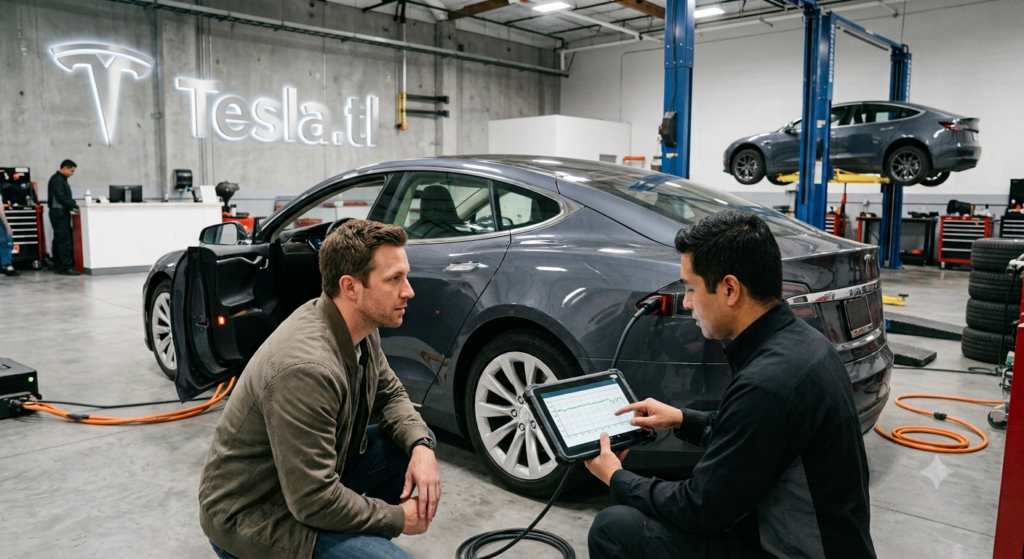
The battery pack is the heart, lungs, and blood of every Tesla ever built. It is the single most expensive component to replace, the primary determinant of your daily driving range, and the one element that can transform an otherwise pristine used electric vehicle into a frustrating money pit. When you are standing in front of a gleaming used Tesla Model 3, Model Y, Model S, or Model X, the bodywork may be flawless, the interior may smell like a luxury lounge, and the touchscreen may boot with satisfying speed. But if the battery has been abused by years of relentless DC fast charging, cooked by desert sun without cabin overheat protection, or habitually charged to 100% on a daily basis, you are not buying a car. You are buying a degraded energy storage unit wrapped in aluminum and glass.
In the used Tesla market of 2026, battery health verification is not a bonus step for paranoid buyers. It is the foundational due diligence that separates a smart purchase from an expensive mistake. Unlike a gasoline engine, where a quick listen to the exhaust note and a peek at the oil cap reveal most secrets, a Tesla battery hides its condition behind software menus, encrypted diagnostic ports, and range estimates that can be manipulated by temperature and driving history. Sellers rarely disclose degradation honestly. Some do not even know how to check it themselves. Others intentionally obscure the truth with phrases like “range is great” or “battery works perfectly” that mean absolutely nothing without hard data.
This comprehensive guide provides the exact verification methods that work in the real world. We explain how to read the onboard energy graph like an engineer, which third-party diagnostic tools reveal the truth, how to interpret watt-hours per mile consumption history, what Tesla Service Centers can and cannot tell you, and the physical symptoms of a dying pack that even software cannot hide. Master these techniques, and you will never again overpay for a used Tesla with a battery that belongs in a recycling facility rather than your garage.
Why Battery Health Determines Everything
Before diving into verification techniques, understand why this matters so profoundly. A Tesla with a degraded battery does not merely lose range. It loses resale value, charging speed, regenerative braking efficiency, and cold-weather usability. A Model 3 Long Range that originally delivered 310 miles of EPA-rated range but now shows only 240 miles at full charge has lost roughly 22% of its capacity. This is not a minor inconvenience. It is a fundamental reduction in the vehicle’s utility that affects every aspect of ownership.
In winter conditions, that same degraded battery performs even worse. The thermal management system must work harder to heat cold cells, the resistive heater or heat pump draws more energy from an already diminished reserve, and the effective range can drop below 180 miles on a vehicle that once cruised past 300. For buyers who commute long distances, lack home charging, or live in regions with sparse Supercharger density, this degradation transforms the ownership experience from liberating to anxiety-inducing.
Financially, the stakes are equally severe. An out-of-warranty battery replacement for a Model S or Model X can cost $15,000 to $22,000 in 2026, while Model 3 and Model Y replacements typically run $12,000 to $16,000 depending on pack size and labor rates. These figures dwarf the cost of replacing a gasoline engine or transmission in a conventional used car. Even if the battery has not failed entirely, a degraded pack reduces the vehicle’s resale value by thousands of dollars and narrows the pool of potential buyers when you eventually sell.
Method 1: The Onboard Energy Graph and Range Estimate
The most accessible verification tool is already sitting in the car’s 15-inch touchscreen, though it requires knowing exactly how to read it. Navigate to the Energy app, select the Consumption tab, and switch the view to Range. With the battery charged to 100%, the displayed estimated range provides a rough but useful proxy for current capacity.
However, this number is easily misinterpreted by novice buyers. The range estimate is not a fixed physical measurement like a fuel gauge. It is a software calculation based on recent driving efficiency, ambient temperature, and historical energy consumption patterns. A Model Y Long Range that shows 290 miles at 100% charge after a week of gentle suburban driving in 70°F weather may drop to 260 miles after a single aggressive highway trip in cold rain. This does not mean the battery lost 30 miles of capacity overnight. It means the algorithm adjusted its prediction based on recent efficiency.
To use the onboard graph accurately, follow this protocol. First, ensure the vehicle has been driven normally for at least 500 miles prior to your inspection, not parked for weeks or driven exclusively in a single environment. Second, charge the battery to 100% and let it sit plugged in until the charging session completely terminates. Third, check the range estimate immediately upon unplugging, before driving. Fourth, compare this figure against the original EPA-rated range for the specific trim and year. A healthy Model 3 Long Range from 2020 should still show roughly 280 to 305 miles at 100% charge in temperate conditions. A figure below 260 miles suggests meaningful degradation. A figure below 240 miles indicates severe degradation that demands immediate investigation or price renegotiation.
Always cross-reference the displayed range with the trip computer’s watt-hours per mile average. If the range estimate seems suspiciously low but the efficiency figure is abnormally high, the battery may be fine and the previous owner simply drove aggressively. If the range is low and the efficiency is normal, the battery itself is the problem.
Method 2: Third-Party Diagnostic Applications
For buyers who want precision beyond the factory range estimate, third-party diagnostic tools have become the gold standard of used Tesla verification. Applications such as Scan My Tesla, TeslaFi, TeslaScope, and TeslaMate interface with the vehicle’s onboard diagnostic port or API to extract data that Tesla’s consumer-facing interface intentionally obscures.
Scan My Tesla is the most technically powerful option. Using an inexpensive OBD-II adapter plugged into the vehicle’s diagnostic port beneath the dashboard, the app reads real-time data directly from the battery management system (BMS). It displays the exact State of Health (SOH) percentage, individual cell group voltages, pack temperature differentials, and the total energy capacity in kilowatt-hours remaining in the pack. A 2021 Model Y Long Range with a 75 kWh pack should show approximately 68 to 72 kWh of usable capacity when healthy. A reading below 63 kWh indicates degradation that exceeds normal parameters for the vehicle’s age and mileage.
TeslaFi and TeslaScope operate through the vehicle’s API rather than physical connection. They aggregate historical charging data, efficiency trends, and battery metrics over time. If the previous owner used one of these services, they can provide a degradation curve showing exactly how the battery has aged throughout the vehicle’s life. A gradual, linear decline from 100% to 88% over four years is normal. A sudden drop from 95% to 82% within six months suggests a traumatic event such as thermal damage, physical impact, or a failed cell group that the BMS is struggling to mask.
The critical advantage of these tools is their ability to reveal cell imbalance. In a healthy battery, all thousands of individual cells charge and discharge at nearly identical voltages. When certain cell groups drift out of alignment due to manufacturing defects or aging, the BMS must throttle the entire pack to protect the weakest cells. This manifests as reduced range, slower charging speeds, and premature charging session termination. The onboard range estimate may still look acceptable, but a diagnostic tool will reveal the underlying imbalance that signals impending failure. Always request a Scan My Tesla screenshot or a TeslaFi battery report from the seller. If they refuse or claim ignorance, treat this as a major red flag and conduct your own diagnostic during the test drive.
Don’t risk buying a used Tesla with a degraded battery that turns every road trip into a charging strategy session. At Tesla.tl, every listing includes verified battery health reports, State of Health diagnostics, and charging history snapshots so you know exactly what range you are getting before you negotiate. Browse inspected inventory with full battery transparency at https://tesla.tl/.
Method 3: Tesla Service Center Diagnostic Reports
While third-party tools provide granular data, the Tesla Service Center remains the most authoritative source for battery health verification. For a fee typically ranging from $100 to $200, Tesla can generate a comprehensive High Voltage Battery Health Check that assesses the pack’s current capacity, internal resistance, thermal management performance, and any stored error codes related to cell groups or the BMS.
This report carries several advantages over consumer-grade diagnostics. First, it identifies whether the battery has experienced any thermal events, overvoltage conditions, or rapid discharge incidents that might not appear in daily driving but stress the cells internally. Second, it verifies whether the battery remains eligible for warranty replacement under Tesla’s 8-year/120,000-mile battery and drive unit coverage. If the pack has degraded below 70% of its original capacity within the warranty period, Tesla is contractually obligated to repair or replace it. A service center report documenting 68% SOH on a 2020 vehicle transforms a risky purchase into a potential warranty claim that saves you thousands.
Third, the report reveals whether the vehicle has been flagged for salvage, rebuilt, or flood damage in Tesla’s internal systems. Even if the title appears clean on a vehicle history report, Tesla maintains its own database of vehicles that have suffered catastrophic damage. A flagged VIN may have its Supercharger access restricted and its warranty voided, regardless of what the seller claims. The service center report is the only way to verify this status definitively.
The downside is that Tesla service centers are notoriously busy, and scheduling a pre-purchase inspection may take days or weeks. Some sellers will not wait. In these cases, offer to pay for the inspection upfront and deduct the cost from the purchase price if the deal proceeds. If the seller refuses even this arrangement, walk away. There is no legitimate reason to block a buyer from verifying a component that represents 30% to 40% of the vehicle’s value.
Method 4: Watt-Hours Per Mile and Efficiency History
One of the most underutilized verification methods requires no special tools beyond the vehicle’s built-in Trip computer. Navigate to the Trips menu and examine the lifetime or long-term watt-hours per mile average. This figure tells you how much energy the vehicle has historically consumed to travel one mile. While driving style heavily influences this number, a battery with significant degradation often shows elevated consumption because the BMS must work harder to deliver the same output.
For context, a healthy Model 3 typically averages 240 to 280 watt-hours per mile in mixed driving. A Model Y runs slightly higher at 260 to 300 watt-hours per mile. A Model S or Model X ranges from 290 to 340 watt-hours per mile depending on variant and wheel size. If the lifetime average is dramatically higher than these benchmarks, investigate further. A Model 3 showing a lifetime average of 330 watt-hours per mile may indicate either extremely aggressive prior driving or a battery that has lost enough capacity to force the vehicle into less efficient operating modes.
More revealing than the lifetime average is the recent trip log pattern. Ask the seller to show the last several hundred miles of trip data. Consistent, gradual efficiency is normal. Erratic spikes without corresponding weather or terrain changes suggest the BMS is struggling to maintain consistent output. Combined with other diagnostic data, this pattern helps confirm whether the battery is genuinely healthy or merely masking degradation through software tricks.
Method 5: Physical Symptoms and Driving Behavior
Software diagnostics are powerful, but certain battery problems reveal themselves through physical behavior during a test drive. A degraded battery often exhibits reduced regenerative braking even when fully charged. In a healthy Tesla, lifting off the accelerator at moderate speeds produces strong deceleration as the motors recapture energy. If the car coasts more than it slows, the BMS may be limiting regen to protect weakened cells from excessive charge rates.
Charging speed throttling is another critical indicator. A healthy battery accepts high power levels during the initial phase of DC fast charging, tapering only as it approaches 80% state of charge. A degraded pack may begin throttling power at 40% or 50% charge to prevent thermal runaway in stressed cells. If possible, ask the seller to demonstrate a brief Supercharger session during your inspection. If the charging power stays unusually low despite a low state of charge and moderate battery temperature, the pack is likely compromised.
Pay attention to acceleration consistency as well. A Model 3 Performance or Model S Plaid with a healthy battery delivers violent, consistent acceleration regardless of charge level above 20%. A degraded battery may limit power output to protect cells, resulting in noticeably softer acceleration even when the dashboard shows adequate range remaining. This is particularly common in vehicles that have experienced thermal damage or repeated launch control abuse.
Method 6: Investigating the Previous Owner’s Charging Habits
The battery’s condition is not merely a function of age and mileage. It is a biography of how the previous owner treated the vehicle. Whenever possible, gather information about charging behavior through direct conversation, Tesla account records, or the vehicle’s own charging history if accessible through third-party apps.
Daily charging to 100% is the single most destructive habit for NCA battery chemistry used in Long Range and Performance variants. Owners who plugged in every night and set the limit to 100% out of range anxiety inflicted unnecessary cathode stress that accelerates degradation. Ideally, an NCA battery should have been charged daily to 80% to 90% with 100% reserved only for pre-trip preparation.
Reliance on DC fast charging as a primary energy source also accelerates aging. A vehicle that spent its life in an apartment complex without home charging, sucking electrons exclusively from Superchargers and third-party DC stations, will typically show 2% to 4% worse battery health than an identical vehicle charged primarily on Level 2 home equipment. The heat generated during rapid charging stresses cell chemistry and promotes lithium plating over time.
Climate exposure matters enormously. A Tesla that lived its entire life in a temperate coastal climate with garage parking will have aged more gracefully than an identical vehicle that baked in Phoenix parking lots for five summers. Extreme heat accelerates electrolyte decomposition and cathode degradation. If the seller’s location history reveals years in desert or tropical climates without garage storage, scrutinize the battery health with extra rigor.
For LFP chemistry found in standard-range Model 3 and Model Y vehicles, charging habits are more forgiving. LFP batteries tolerate daily 100% charging with minimal penalty, though they still suffer from extreme heat and deep discharge cycles. Adjust your expectations accordingly based on the specific battery chemistry in the vehicle you are considering.
Method 7: Warranty Status and Remaining Coverage
Before finalizing any purchase, verify exactly how much battery and drive unit warranty remains. Tesla’s coverage for Model 3 and Model YLong Range and Performance variants extends to 8 years or 120,000 miles, whichever comes first. Standard Range variants carry 8 years or 100,000 miles. Model S and Model X vehicles generally receive 8 years or 150,000 miles depending on year and trim.
This warranty guarantees that the battery will retain at least 70% of its original capacity during the coverage period. If you are buying a 2022 Model Y with 30,000 miles in 2026, you still have roughly five years and 90,000 miles of warranty protection. This dramatically reduces the financial risk of battery degradation. However, if you are buying a 2018 Model S with 90,000 miles, the warranty is nearing expiration, and any degradation beyond 70% becomes your financial responsibility within months or years.
Check the warranty status by providing the VIN to a Tesla Service Center or by asking the seller to screenshot the warranty information from their Tesla app. Do not rely on verbal assurances. Warranty transfer is automatic for private sales in most jurisdictions, but salvage or rebuilt titles can void coverage entirely.
The Red Flags That Should Kill the Deal
Certain battery-related findings should trigger immediate rejection, regardless of how attractive the price appears.
State of Health Below 85% on a 4-Year-Old Vehicle If a 2022 or newer vehicle shows less than 85% SOH, the battery has aged abnormally. This suggests either manufacturing defects, physical damage, or extreme abuse. Even if the vehicle remains under warranty, pursuing a replacement is time-consuming and uncertain.
Inconsistent Cell Group Voltages Diagnostic tools reveal whether individual parallel cell groups maintain voltage balance. Variations greater than 50 millivolts between groups at rest indicate a BMS struggling to maintain equilibrium. This condition worsens over time and often precedes complete pack failure.
Evidence of Thermal Damage Any service history mentioning thermal runaway warnings, cooling system repairs, or battery heater failures should be treated as a permanent disqualifier. Even if repaired, thermally stressed batteries carry elevated long-term risk.
Refusal to Allow Diagnostic Access A seller who will not let you run Scan My Tesla, will not provide a Tesla service report, or becomes defensive when asked about charging habits is hiding something. No exceptions. Walk away.
Salvage or Rebuilt Title with Battery Work Vehicles that have suffered flood damage or collision damage requiring battery pack removal often develop latent issues. Tesla may also restrict Supercharger access and void warranties on these vehicles, compounding the risk.
Final Verdict
Verifying a used Tesla’s battery health is not a single action but a layered investigation. Start with the onboard range estimate to establish a baseline. Demand third-party diagnostic data for precision. Obtain a Tesla Service Center report for authoritative warranty verification. Examine efficiency history and physical driving behavior for corroborating evidence. Investigate the previous owner’s charging habits and climate exposure to understand the battery’s biography. And finally, confirm warranty status to quantify your financial risk.
No single method provides complete certainty. But when you combine these techniques, you build a comprehensive picture of the battery’s true condition that no seller can obscure. A used Tesla with a verified healthy battery is one of the smartest automotive purchases you can make in 2026: efficient, low-maintenance, and technologically advanced. A used Tesla with a degraded battery is an expensive liability that will drain your wallet and your patience with equal efficiency.
Ready to buy a used Tesla with complete battery confidence? Search Tesla.tl for verified listings that include State of Health reports, charging history, and warranty status checks. Filter by battery health percentage, model year, and trim to find the electric vehicle that delivers the range you need without the anxiety you don’t. Visit https://tesla.tl/ and drive with certainty today.
